
Science without alignment
Scientists communicate using their most current data — without reference to approved messaging frameworks. Accurate science, uncoordinated communication.
The intelligence platform for biotech organisations — built for European regulatory requirements from the ground up.
77% of approved pharma content is never used by the field. The knowledge base that changes that is being built now — with our founding partners.Veeva Pulse, 2025 ↗
Built by Rosa Garcia-Verdugo, PhD — five years working with commercial and scientific teams at PromoCell, nCardia, Temedica, Evotec, and Qiagen.The problem
Scientists communicate using their most current data — without reference to approved messaging frameworks. Accurate science, uncoordinated communication.
Campaigns are built from an evidence snapshot that may be months behind what the scientific team now knows. Compliant — but outdated.
Field intelligence disappears into call notes; reps quote yesterday’s data.
Approval status lives in Regulatory’s head, not in Marketing’s deck.
This is not a failure of any team. It is a structural absence — no shared infrastructure for keeping a growing organisation’s knowledge current, synthesised, and aligned.
Why Soma is different
Off-the-shelf AI has no awareness of your approved claims or what’s confidential. In a regulated industry, that’s a liability.
Soma reads what your organisation already has. The knowledge base is populated automatically on deployment — not through upload campaigns that never get completed.
Every approved content piece joins the knowledge base automatically. Every approval makes the next generation more aligned. The system improves with every use — and that improvement belongs only to you.
Regulatory guidelines inform every generation. Content arrives at review already shaped by the rules — so the review is confirmation, not correction.
Raw documents are processed locally in the on-premise deployment model. Only extracted text travels to Soma.
All data stored in europe-west3 by default. Your data never leaves the EU.
Email content is automatically stripped of personal data before any cloud write. Privacy by design.
DPAs ready to sign. Full compliance documentation provided at onboarding — not on request.
Who it’s for
Organisations complex enough to feel the fragmentation problem — but without the infrastructure, or the budget, for enterprise-scale tooling.
Organisation profile
50–500 employees. Big enough to feel the fragmentation. Small enough that no one’s solved it yet. European regulatory context — EMA, GDPR — built into the architecture.
Therapeutic focus
Where the evidence base moves quickly, the audience is scientifically expert, and narrative inconsistency is immediately costly.
Economic buyer
The product addresses pain across all functions, but the case is made at leadership level — coherent scientific narrative, faster regulatory cycles, and field intelligence that informs strategy rather than disappearing into call notes.
One knowledge base
Five roles share a single source of truth. Each contributes what it owns and queries what it needs — through an interface tuned to its judgment.
Adds literature, queries evidence.
Adds approved claims, reviews drafts.
Adds KOL notes, queries safety.
Creates content from approved sources.
Adds field intelligence, queries call prep.
How it works
Connects to what you already have. Keeps it current. Gives every team a shared intelligence layer.
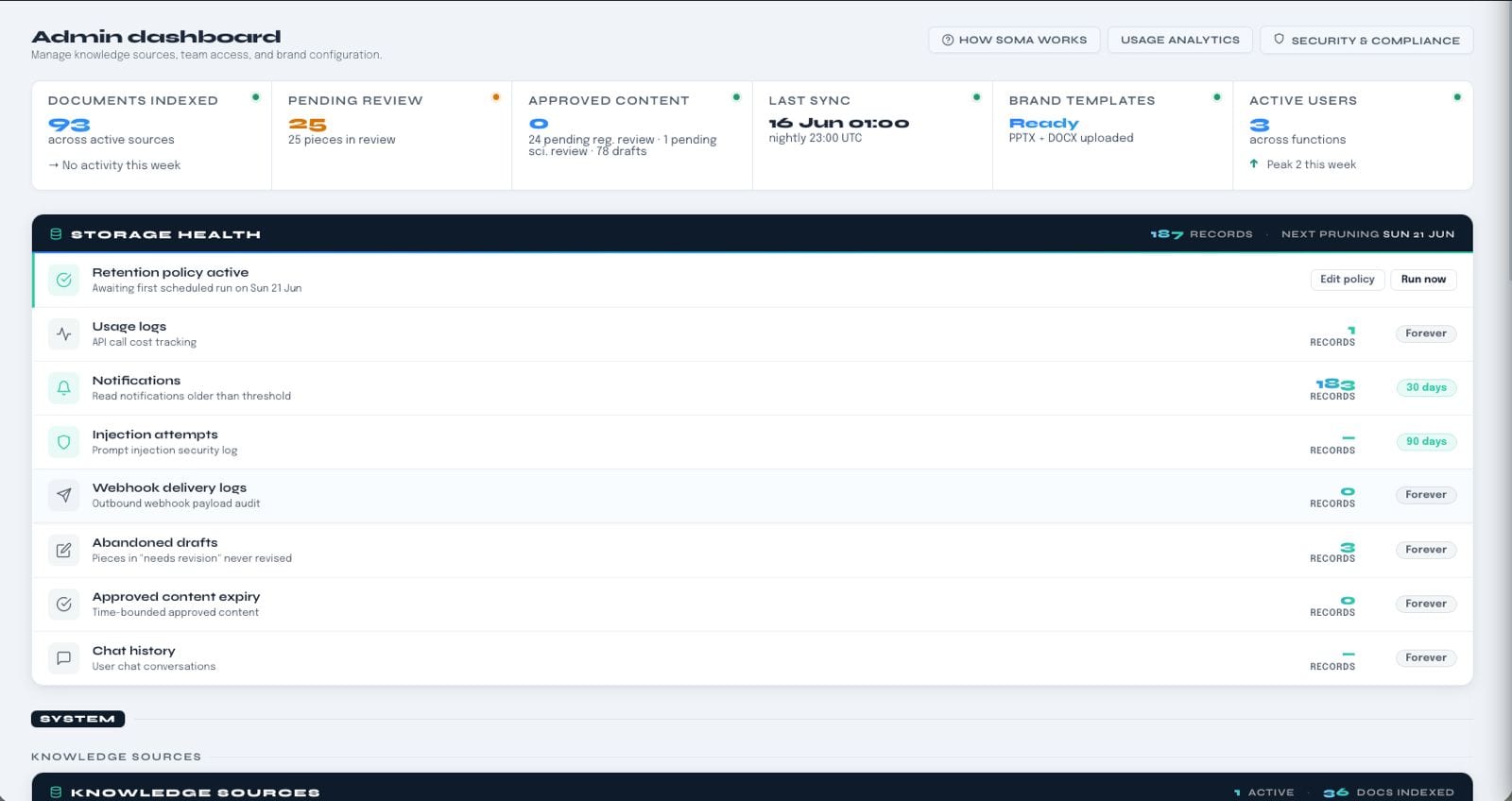
On deployment, Soma connects to your existing document storage and populates the knowledge base automatically. No upload campaigns. No onboarding marathons. Your organisation’s knowledge is already there — Soma makes it queryable from the first day.
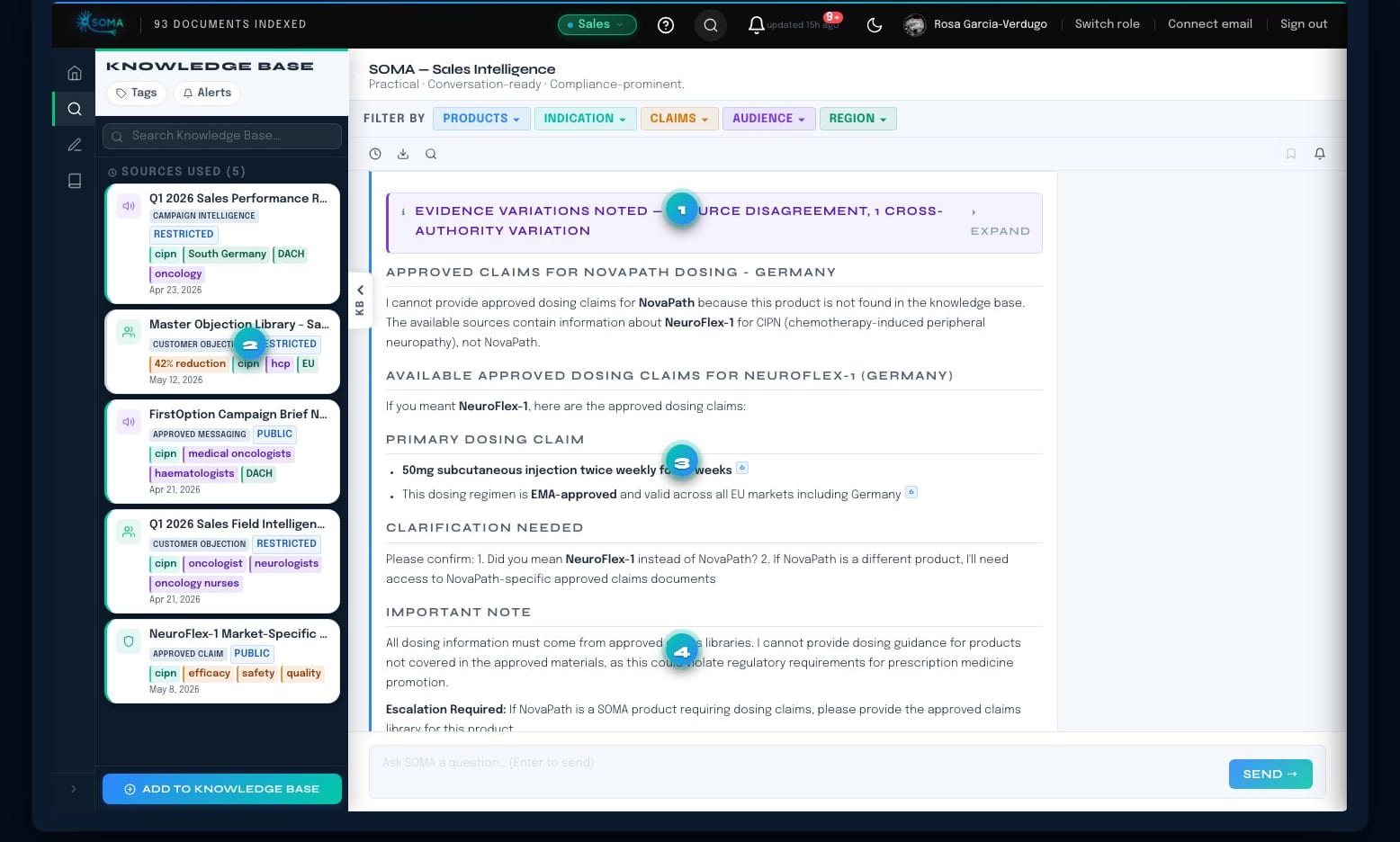
Scientific data, regulatory constraints, KOL insights, approved messaging, field intelligence — all of it flows into one shared knowledge base. Every team queries the same current picture, through an AI interface tuned to their role and judgment.
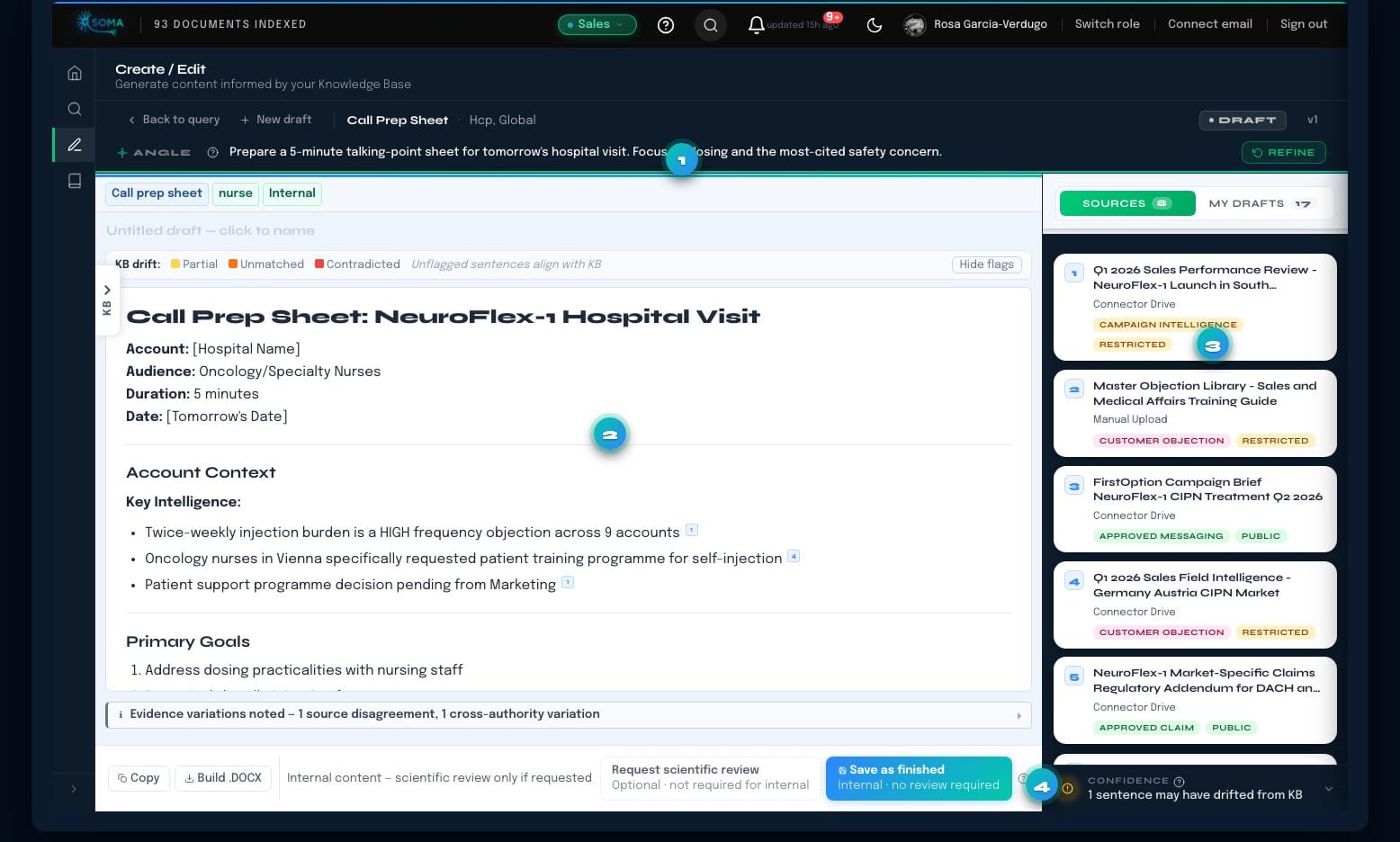
When any function needs a deliverable — a briefing note, a one-pager, a congress abstract, a campaign brief — Soma drafts it using the full knowledge base, your brand identity, and approved content as style reference. The draft arrives already aligned. Users edit and finalise.
Content for external audiences goes through a lightweight in-app review workflow. Regulatory sees exactly which sources informed which claims. Because Soma applied regulatory guidelines during generation, most reviews are approval, not revision.
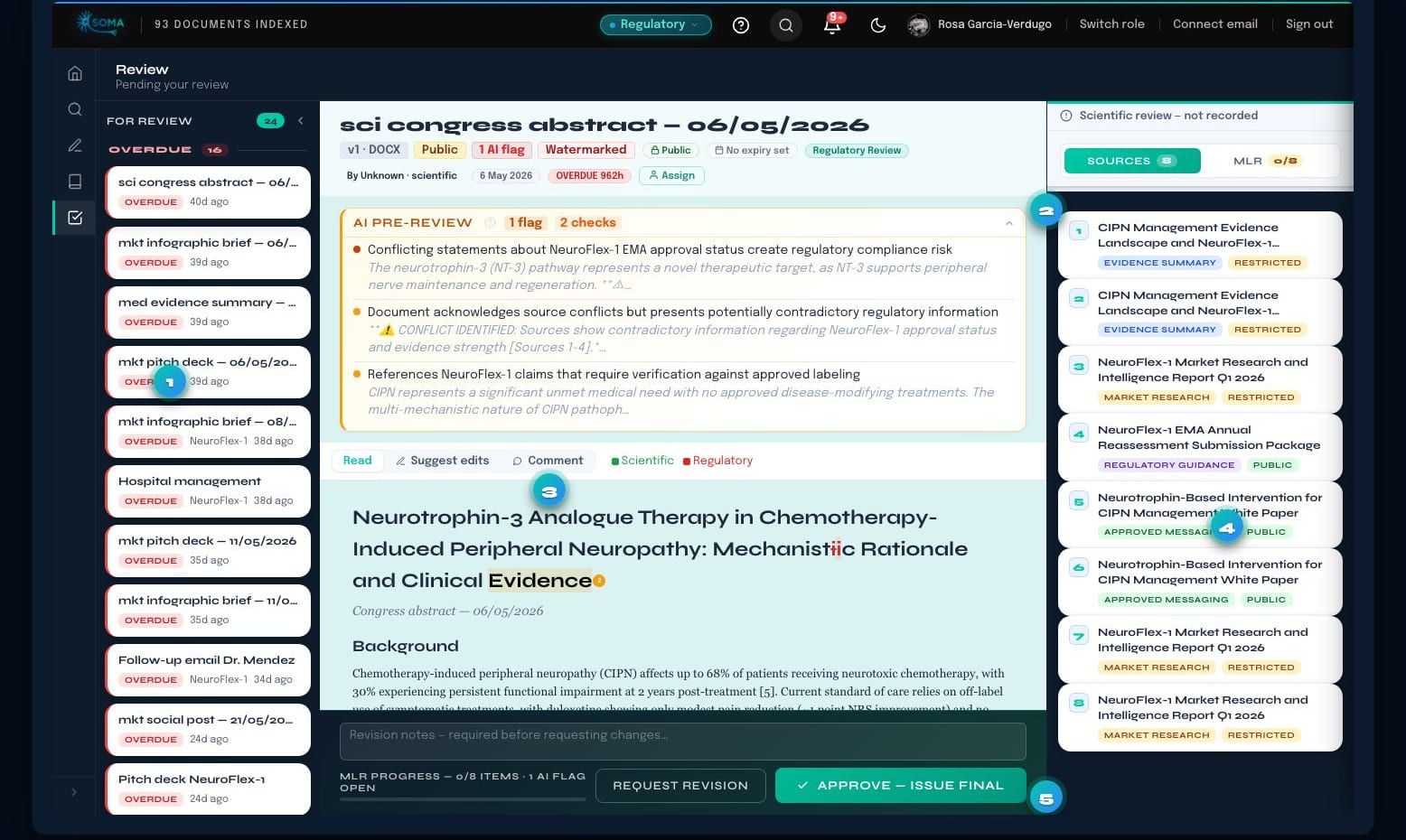
See it in motion
A short walkthrough of the actual product — the same flow you just read about, live.
No sound — a silent ~60-second walkthrough. Prefer to read? The same query → create → review flow, step by step.
This is the product today — pre-launch, built together with our founding cohort.
Apply to be a design partner
About the founder
Founder · somaintegral.io · Heidelberg, Germany
Five years working with the commercial and scientific teams at PromoCell, nCardia, Temedica, Evotec, and Qiagen — observing the same fragmentation pattern across every size, stage, and function. Soma is the infrastructure I wished existed. PhD in biology, €1.2M in European research grants, and deep expertise in science communication, medical writing, regulatory-aware content, and biotech marketing strategy.
Five years of freelance & consulting experience with




Design partner programme
Building now. Working demo in Q3 2026 — design partners get early access and shape what gets built in what order. We are forming a founding cohort of three organisations whose real use cases define the product.
Use Soma in a real operational context before it is available to anyone else.
Your use case, your workflows, and your priorities shape what gets built and in what order.
Design partners receive founding pricing that reflects their role in shaping the product.
Soma’s roadmap is a list of your problems — in priority order.
Not ready to apply yet? You can also send us a message and we’ll come back to you.